Recovering Deleted Files with FTK Imager
In this article, I will talk about how to easily recover files that were accidentally or unknowingly deleted from a Flash Drive, using…

Hello everyone. :)
In this article, I will talk about how to easily recover files that were accidentally or unknowingly deleted from a Flash Drive, using the FTK Imager program.
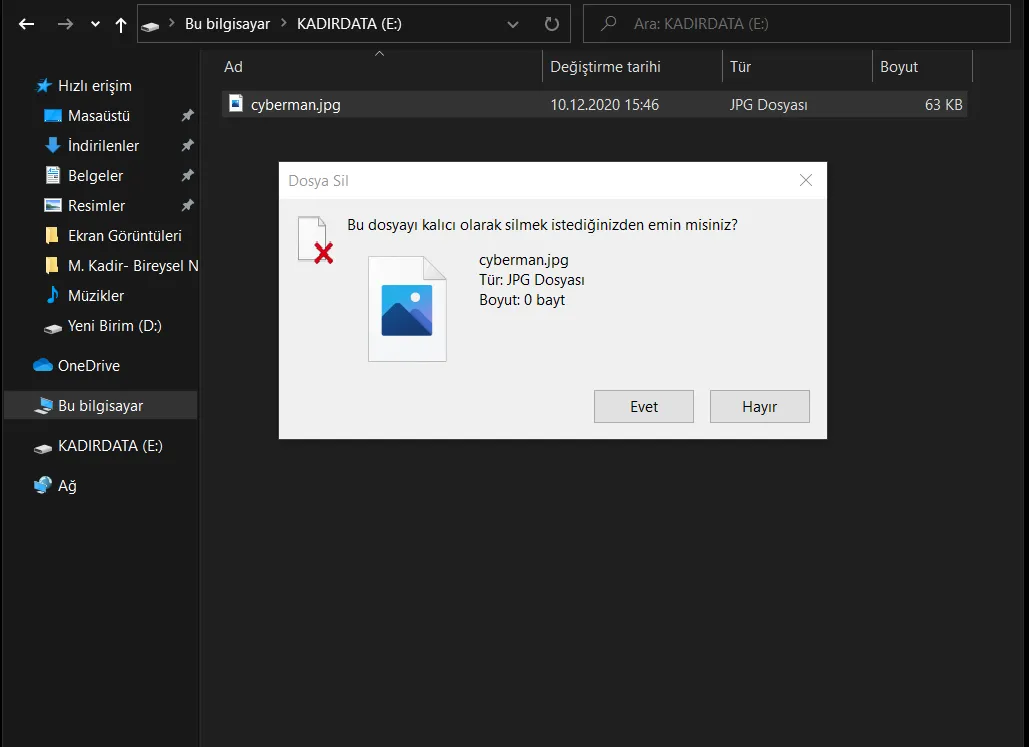
First, the thing we need to do is delete the file we want to recover from my own USB drive. As you can see below, I permanently deleted an image file named cybermen.jpg from my USB drive.
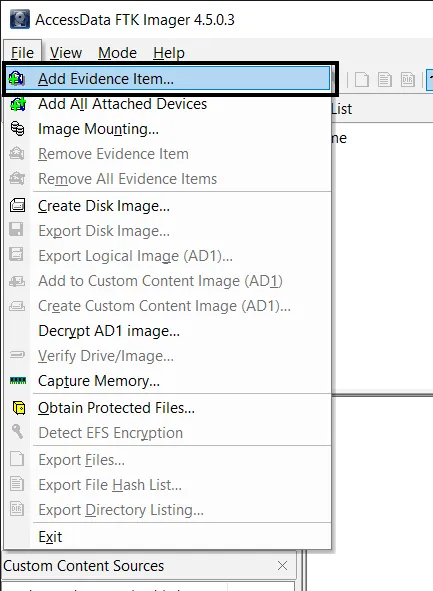
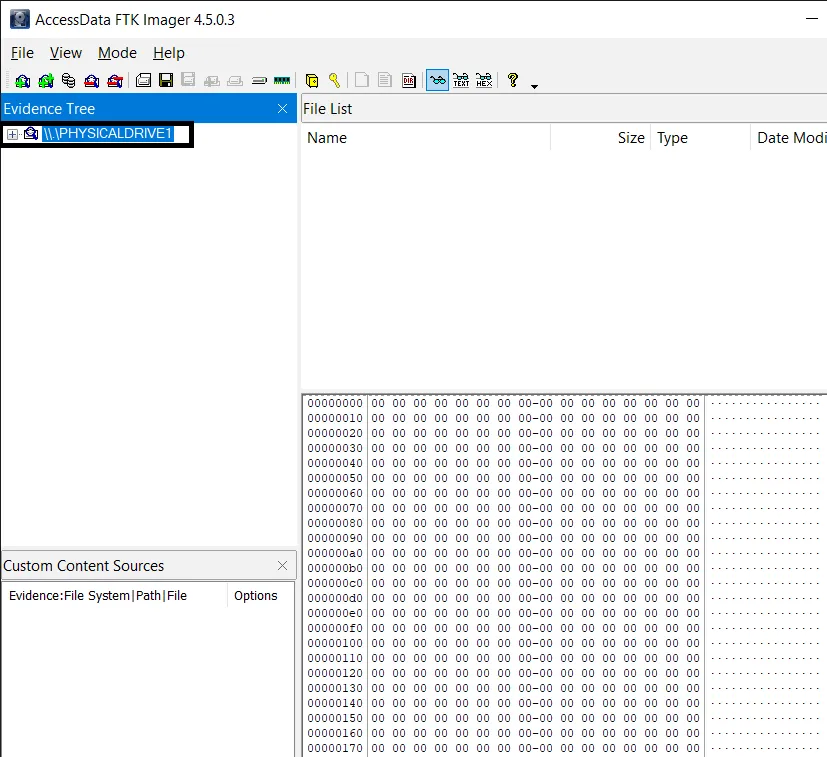
To recover the file we deleted, I’ll use the AccessData FTK Imager program. After downloading the program and making the necessary configurations, we run it. On the first screen that appears, we select the “File> Add Evidence Item” option, as shown in the screenshot.
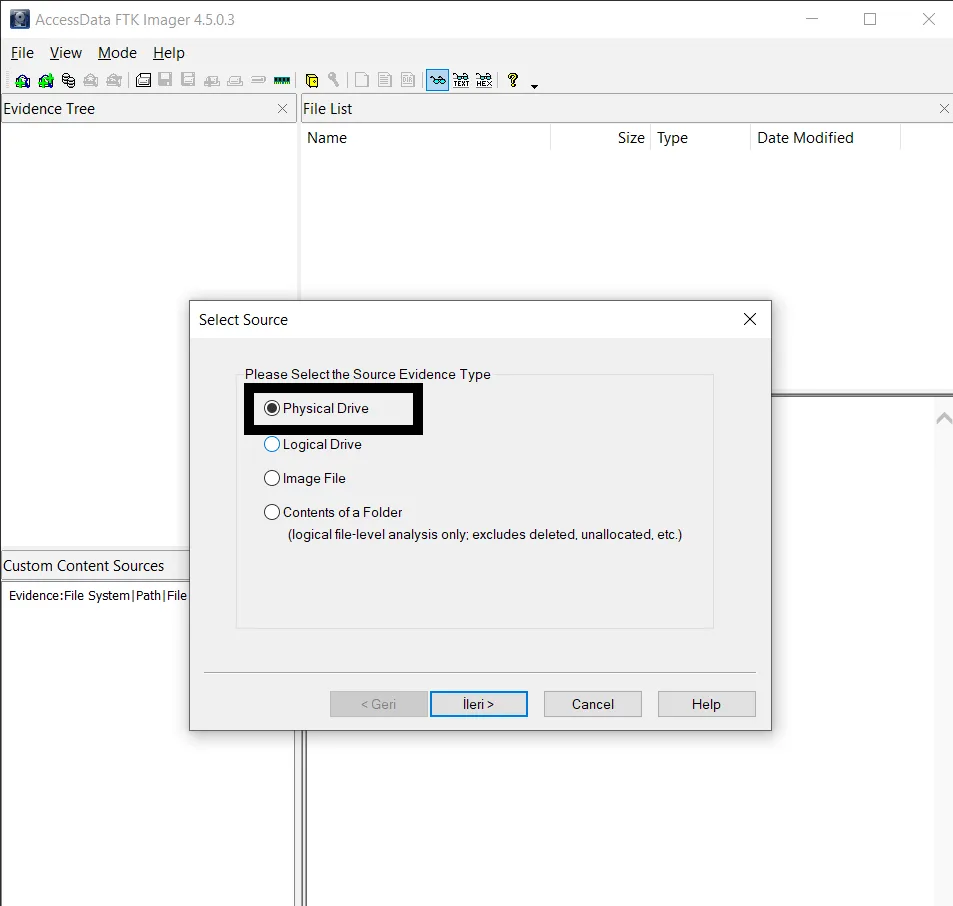
On the screen that appears, it asks us to specify the type of image we’ll be taking. We continue by selecting the Physical Drive option.
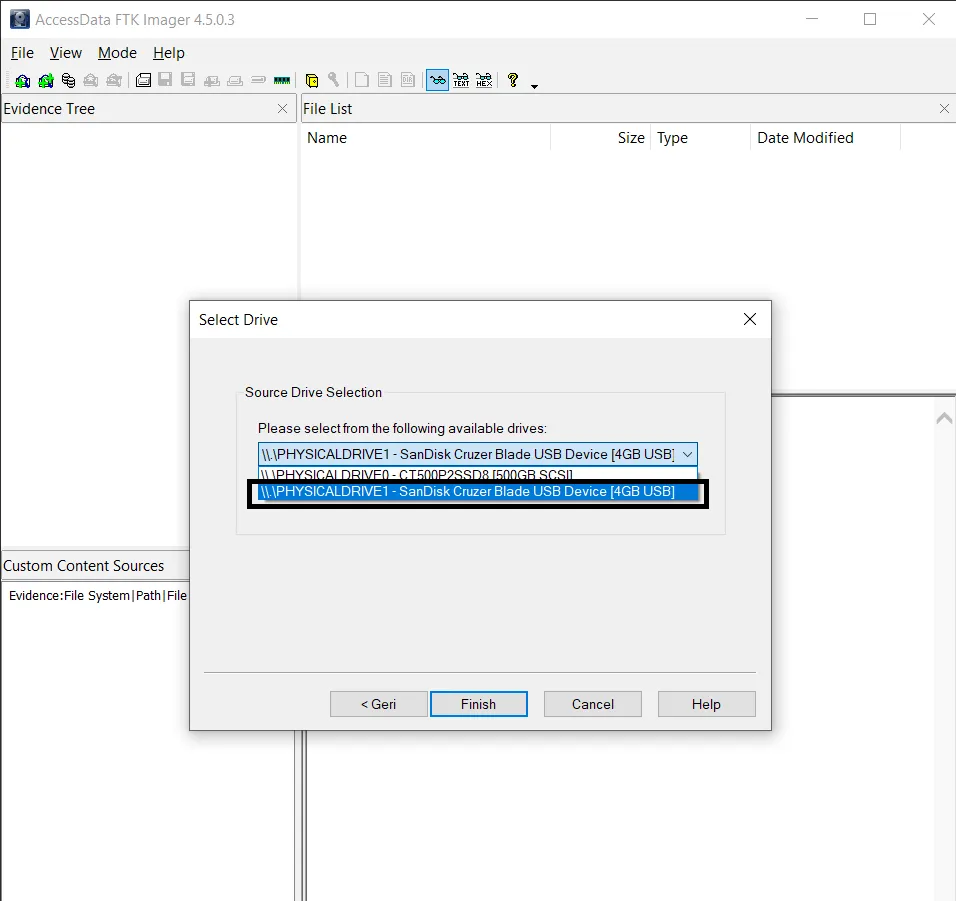
In the next screenshot, we need to select the disk we’ll be taking a physical image of. Here I select the USB drive I plugged in, then click finish to have the physical image taken.
At this point, the image file we obtained appears in front of us. Now we can move on to how we can access the file we deleted.
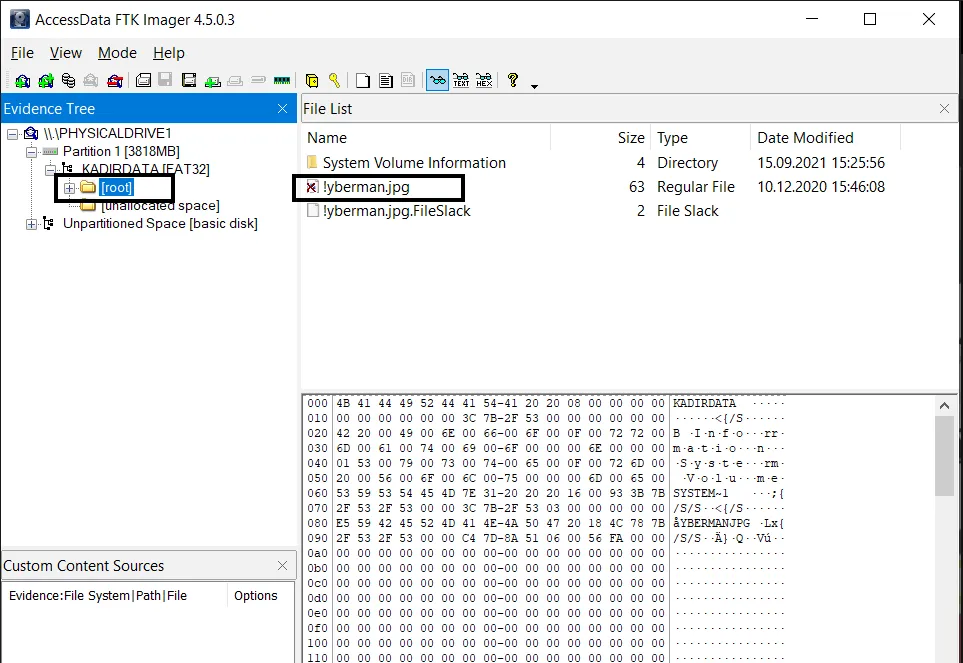
When we select “Physical Drive>Partition>“USB name”>root” here, we see the image file we deleted. System files are also present here. We’re only interested in the file we want to recover.
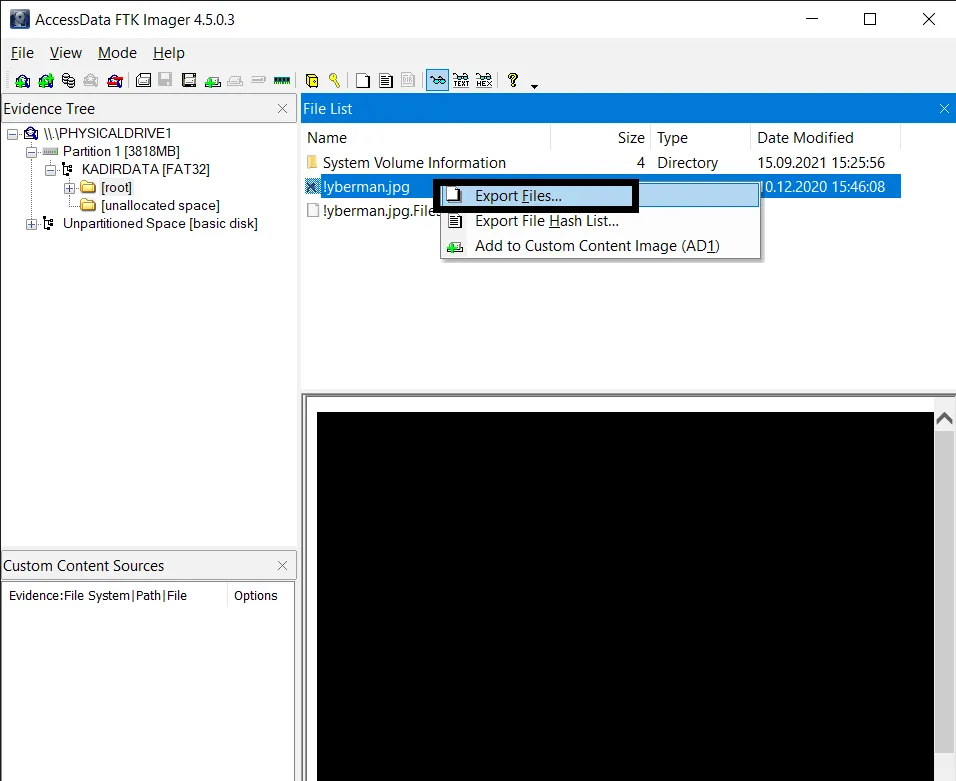
Here we proceed by selecting “right-click>Export files” on the file we deleted.
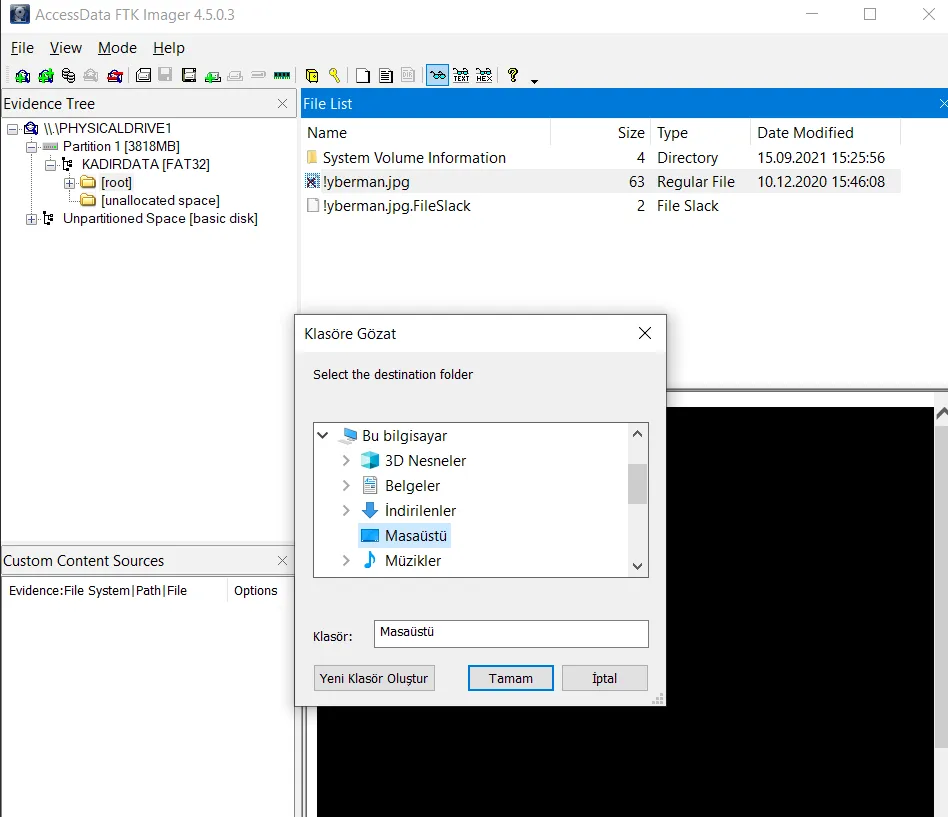
We select the folder we want to export our file to and click OK. Now we’ve exported the image file we deleted to the location we wanted and recovered our data.
What matters for us here is that files deleted from a flash drive or hard disk are written onto sectors. When we delete a file, what we’re actually deleting is the path to that file. If another file occupies that sector afterward and the sector gets overwritten, recovering the deleted file can become much harder, and you may end up having to use different tools.
Thank you for reading this far. :)