Looking Up Contact Information with the Whois Tool
In this article, I'll talk about the usage of the Whois tool, one of the passive information gathering tools in cybersecurity that comes pre-installed. Happy reading.…

Hello everyone :)
In this article, I’ll talk about the usage of the Whois tool, one of the passive information gathering tools in cybersecurity that comes pre-installed. Happy reading. :)
What is a Whois query?
A Whois query is a free passive information gathering service used to find out the information provided when registering a domain name.
- With a Whois query, we can find out which pieces of information are registered, or not, when a domain name is registered.
- If this domain name was registered by an individual, we can access a lot of information about that person, such as their name, address, phone number, email address.
- If, instead of an individual, some company registered it, we can again access a lot of information about that company, such as its name, physical address, phone number, and email address.
Before starting these operations, we can use the “”sudo setxkbmap tr“” command shown below to set our keyboard to Turkish. It’s useful to enter this command every time we open our Kali screen. After entering this command, it will ask for your root password to make sure you’re an administrator.
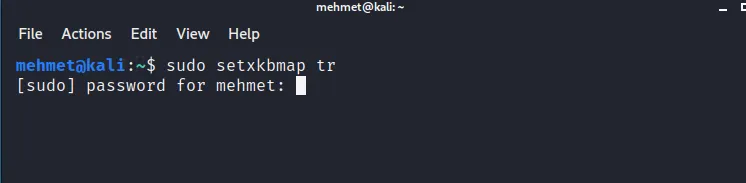
- To perform contact lookups, our whois tool comes pre-installed on our Kali operating system.
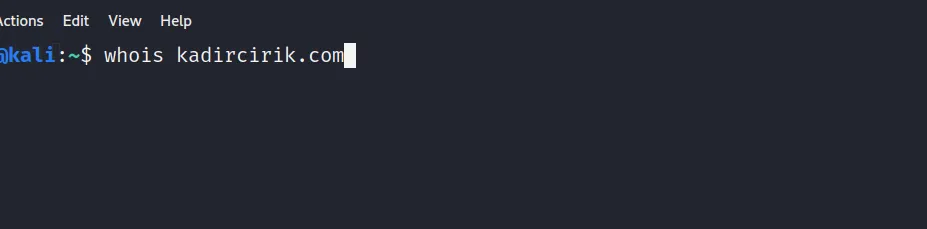
- The usage of the whois tool is as follows: “” whois domain name “” — that is, after typing whois, leaving a space, and typing the domain name, our tool starts working.
Below, as you can see, I’ll run a domain lookup for my own website.
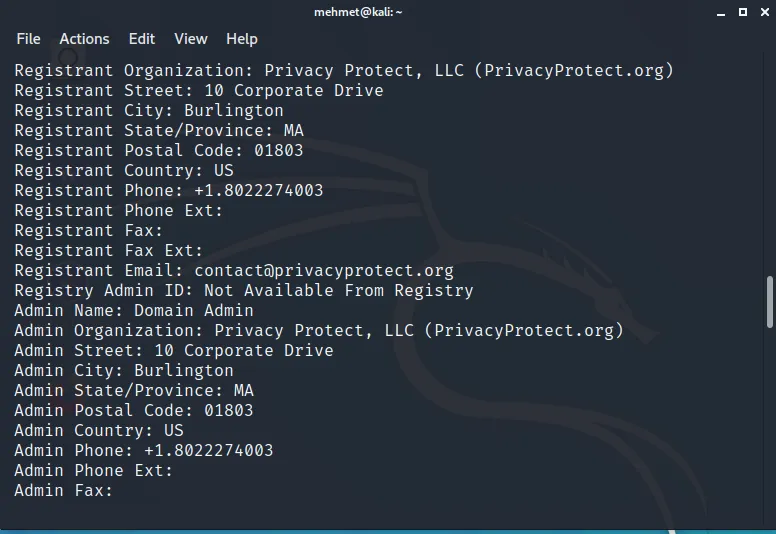
Folks, as you can see below, after running a whois query against my website, I’ve shared part of the resulting output with you. The results shown here could be real information. But they could also be fake information. This is entirely up to the information provided by the person who registered the domain name. I intentionally gave incorrect information when registering my domain name. The reason for this is that I don’t want a malicious person to learn my information if they run a Whois query against my domain name.
Finally, I mentioned to you that the Whois tool comes pre-installed on Kali. However, if the Whois tool isn’t installed on your system, you can install it by typing the command shown in the image below: “” sudo apt install whois “”.

Thanks for reading my article :) I hope you found it useful.