Log Files on Linux Systems
In this article I'll cover the following topics in order: Log Records Why Are Log Records Kept? Linux System Logs Linux System Log Files 1) Log Records…

Hello everyone. :)
In this article I’ll cover the following topics in order;
- Log Records
- Why Are Log Records Kept?
- Linux System Logs
- Linux System Log Files
1) Log Records
Errors that occur on the systems in use, the operations performed, problems that arise, files that are added, and so on — in short, all of these actions on the system — are recorded and kept. As mentioned, everything that gets recorded fits our definition of a Log.
2) Why Are Log Records Kept?
We mentioned that everything recorded on systems qualifies as a log for us. Let’s explain why these log records are kept.
When systems encounter any unwanted situation — meaning abnormal occurrences or situations that could be negative for the system;
- Why the issue occurred,
- Who caused it and for what purpose…
They’re kept to be able to answer many such questions. As a result, log files are one of the most important resources to rely on for things like keeping systems secure, recovering data when needed, and digital forensics. In other words, keeping these log files on the system makes it possible to investigate and resolve any such negative activity that may occur.
3) Linux System Logs
Logs are among the most important files on Linux/Unix systems. Linux systems have a more detailed logging mechanism than other systems.
Log files created in Linux environments are divided into 4 different categories. These are;
- Application Logs
- Event Logs
- Service Logs
- System Logs.
On Linux systems, log files are kept under the /var/log/ directory unless stated otherwise. I say “unless stated otherwise” because some developers may choose to keep records in different directories based on their own preferences. You’ll notice that each log file records the activity of one or more services. Here I’ll cover some log files that can be important and worth keeping an eye on.
4) Linux System Log Files
-
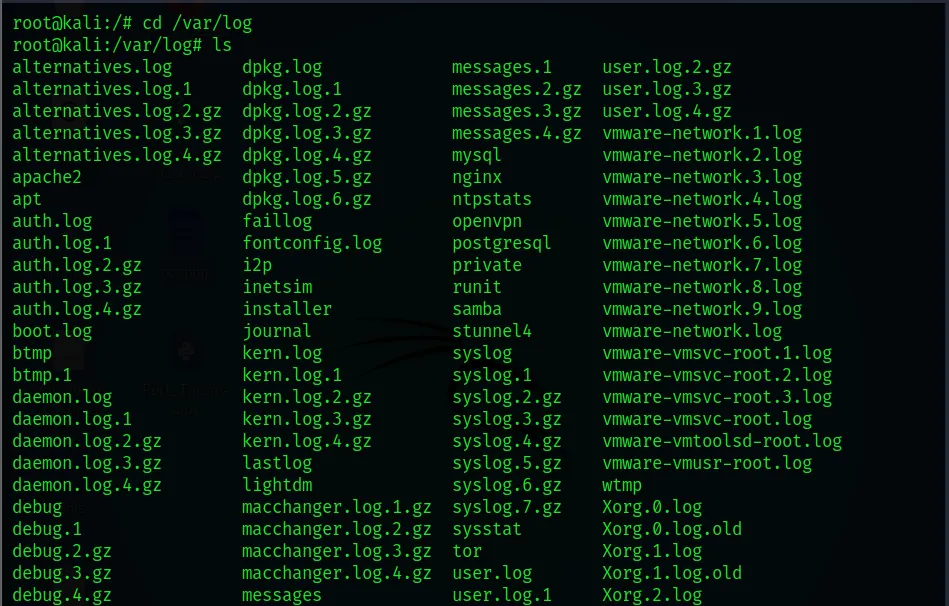
cd /var/log
After typing the cd /var/log command, you can list all the subdirectories in the log directory by typing ls.
-
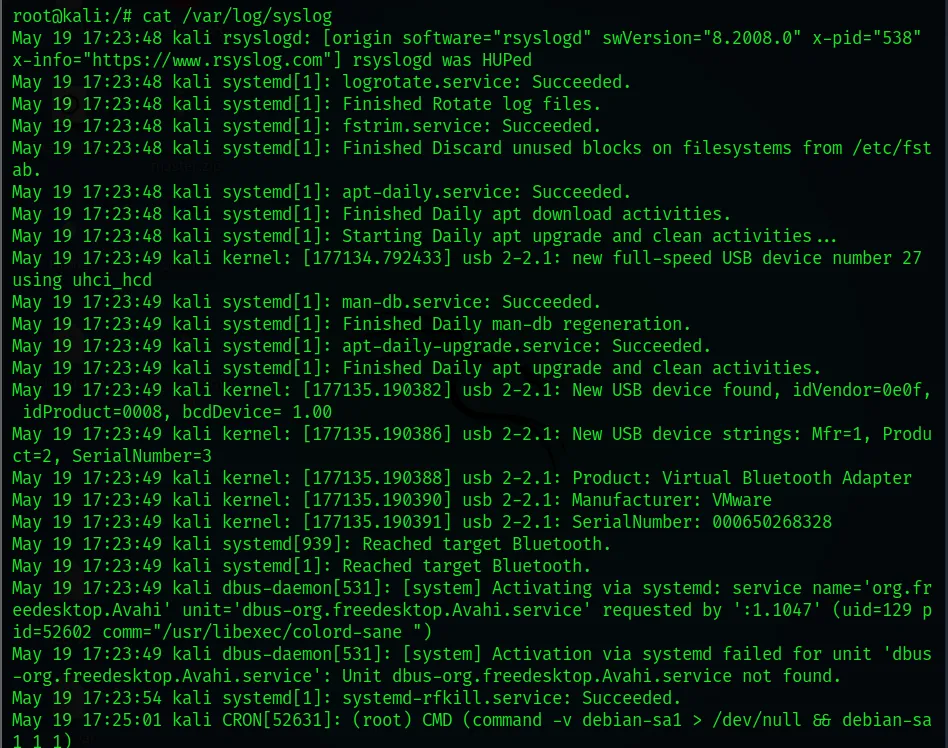
/var/log/syslog
The Linux system log file is kept under this file. You can view the contents of this file with the command cat /var/log/sysog.
- Syslog is a standard logging mechanism used to track operating system errors and warnings, and it logs continuously.
- Syslog defines many details, including how logs are kept and their importance.
- Syslog is not limited to its own domain or server; it can also collect log files from all other devices or servers.
-
/var/log/faillog
This file contains information about failed login attempts. It’s a useful log file for finding any security breach attempts, including username/password cracking and brute-force attacks.
The cat /var/log/faillog command is used to view its contents.
-
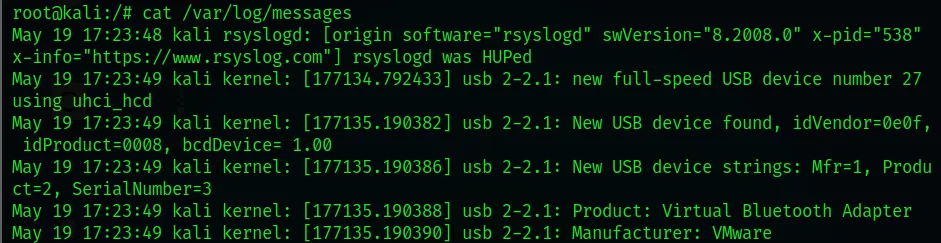
/var/log/messages
The Messages log is generally concerned with keeping system logs. It’s one of the first files you should check when any problem or negative situation occurs on your system. Hardware-related problems are written into this file. On Debian-based systems, meaning Ubuntu or Kali Linux, this file’s path is found under /var/log/syslog. The cat /var/log/messages command is used to read the contents of this file.
-
/var/log/cron
Defined cron jobs are written to this file. You can also read about any error occurring in the cron service or the service being restarted from this file.
The cat /var/log/cron command is used to read this file.
-
/var/log/auth.log
“auth.log” is short for the word authentication. That’s why authentication operations are written to this file. When a user on the system tries to log in via terminal, whether it succeeds or fails, all of these operations can be examined from this file. Failed login attempts by root and other users are likewise written to this file.
The cat /var/log/auth.log command is used to read this file.

-
/var/log/secure
Red Hat and CentOS-based systems use this log file in place of the /var/log/auth.log file. It’s mainly used to monitor the use of authorization systems. It records all security-related messages, including authentication failures. Hacking attempts can be detected from the session information it records.
The cat /var/log/secure command is used to view the contents of this file.
-
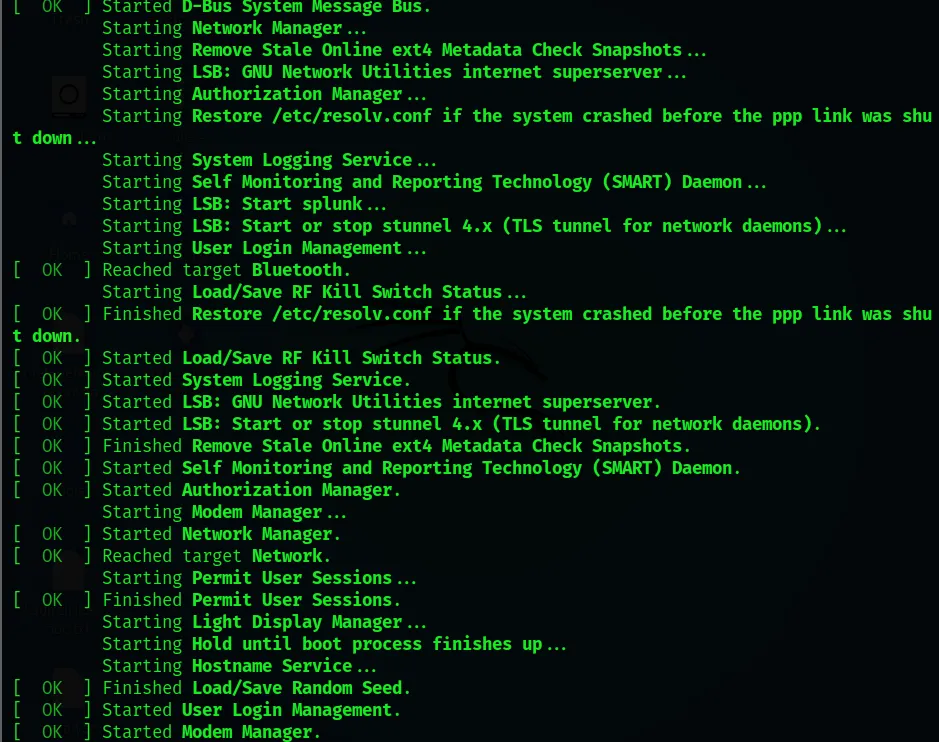
cat /var/log/boot.log
Issues related to improper shutdowns, unplanned restarts, or boot failures are logged to this file. It can also help us determine the duration of system downtime caused by an unexpected shutdown.
The cat /var/log/boot.log command is used to view the contents of this file.
-
/var/log/dmesg
If a particular piece of hardware isn’t working properly or has a detection issue, this log file is used to troubleshoot the problem. And it’s recorded in this log file. Since the kernel detects the server’s associated physical hardware devices during the boot process, it captures device status, hardware errors, and other general messages.
The cat /var/log/dmesg command is used to view the contents of this file.
-
/var/log/yum.log
This is found only on Red Hat and CentOS Linux distributions. It writes software installed via the Yum package manager into this file. It’s also possible to read from this file if a piece of software couldn’t be installed via a Yum package.
The cat /var/log/yum.log command is used to read the contents of this file.
-
/var/log/maillog or mail.log
This is the default log file found on Linux distributions. It contains the header information of mail sent to and received by users on the system. Sendmail logs are also written to this file. If a different mail service is installed, these logs may not be kept in this file.
Thanks for reading this far. :)